Chapter 4
Layers, effects and transitions
The layer types behind "+ Layer", compositing, effects, keyframes and smooth clip changes.
The timeline is a stack of layers: the bottom layer is drawn first, the top one last. Each layer plays one thing (a clip, a camera, a generator, a Block…) for a stretch of time.
Add a layer with “+ Layer”
Click + Layer in the Timeline. The layer is created at the playhead. The menu is grouped like this:
Content
- Video, image or sequence…: imports the file into the show folder (transcoded if it is not show-safe) and places it.
- Audio file…: a sound track (WAV, MP3, FLAC…) with its waveform on the timeline.
- Camera, NDI or web page: capture cards and cameras, NDI sources on the network (needs the NDI runtime) and web pages (a full Chromium in its own process).
- Test pattern: per-screen line-up card, animated test card, grid, bars, checkerboard and Scan.
Generative
- Text, Solid color, Gradient, Colour cycle, Strobe, Chevron, Radar.
- Plasma, Noise, Waves, Tunnel, Voronoi, Starfield and Spectrum.
- Node Block and Shader (code): your own generative content (see Generative content and Blocks).
Effect layers (everything below)
- Adjustment (colour, transform) and one entry per effect. An effect layer applies to everything under it, like an adjustment layer.
From the library: any item already in the Media panel.
The layer inspector
Select a layer (click its name in the Timeline) and the Inspector shows its sections:
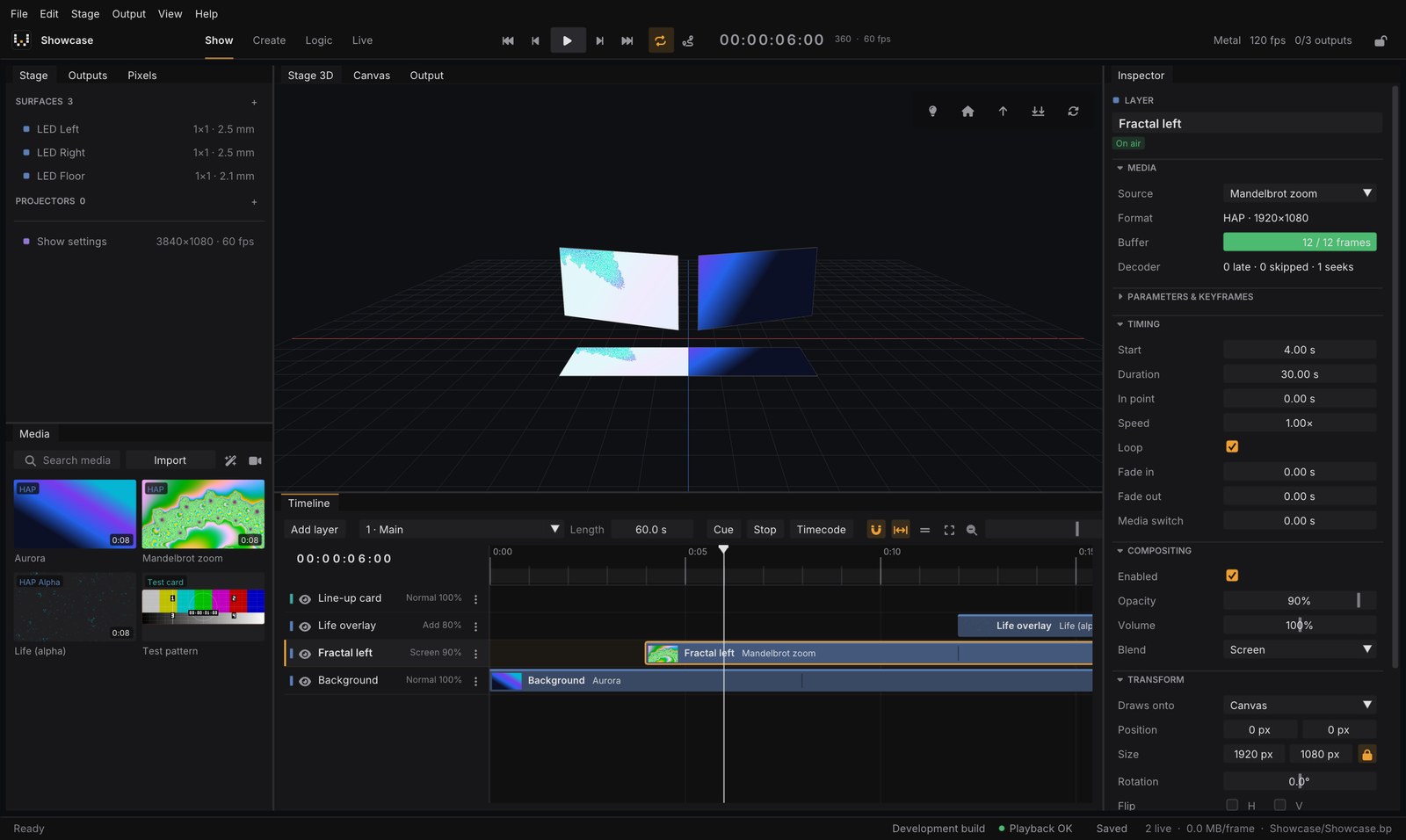
- Media: what the layer plays. For video, the Buffer bar and the Decoder line show that frames are ready in time.
- Parameters & keyframes: opacity, position, scale, rotation and, for Blocks and generators, their own parameters. Click the diamond next to a value to set a keyframe at the playhead.
- Timing: start, duration, in point, speed, loop, Fade in / Fade out and Media switch (below).
- Compositing: on/off, Blend (14 blend modes such as Normal, Add, Screen, Multiply) and Opacity.
- Transform, Crop and Color (brightness, contrast, saturation, hue, gamma, tint, invert) and RGB shift.
- Effects: one effect per layer, with Amount and, for animated effects, Speed.
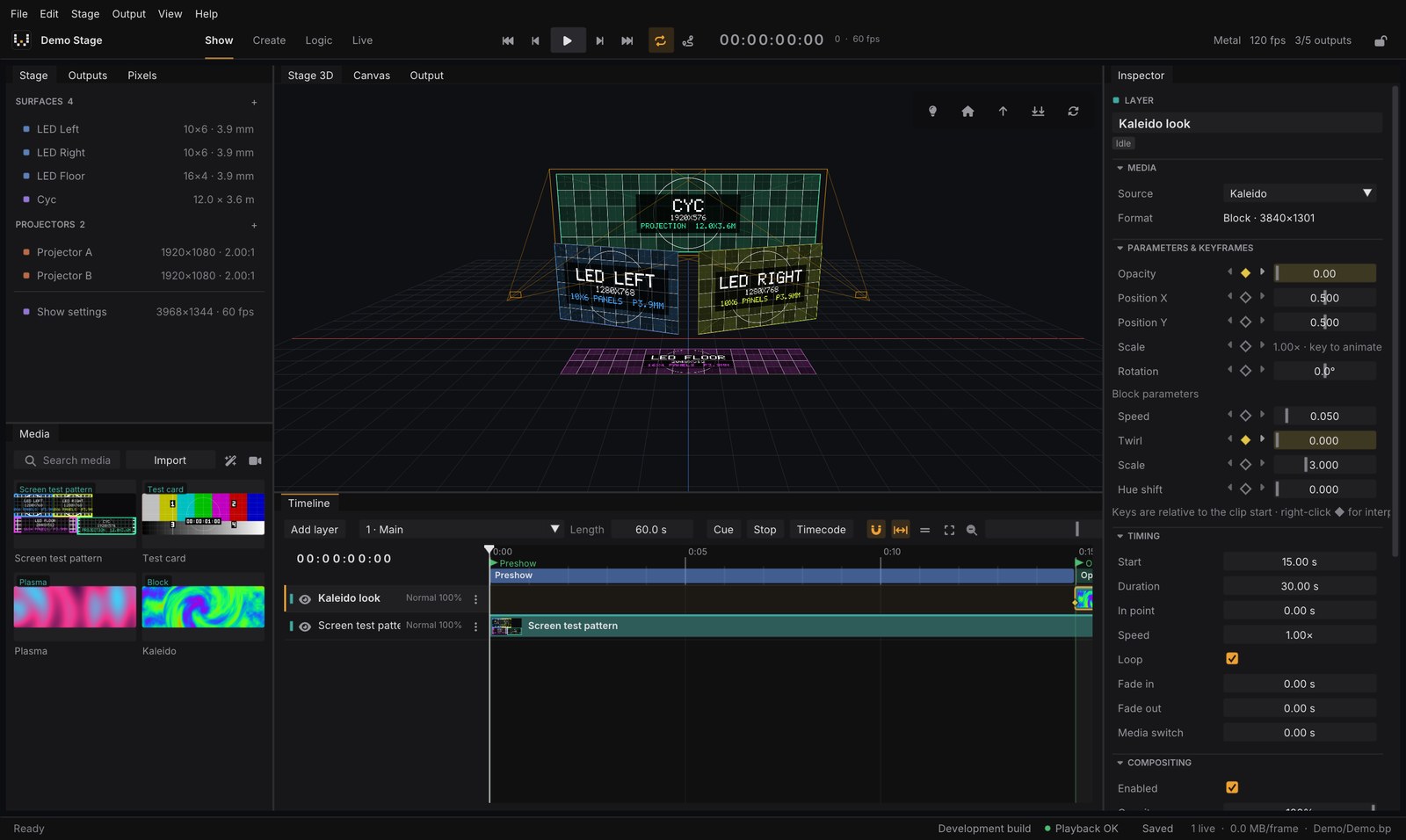
Effects
Blur, Pixelate, Mirror, Kaleidoscope, Edges, Posterize, Film grain, Scroll, Wave and Vignette. Effects run inside the layer shader, so they cost almost nothing.
Tip: a layer has one effect. To chain effects, stack several effect layers.
Smooth changes
- Fade in / Fade out (Timing): the layer’s opacity ramps at its start and end.
- Media switch (Timing, in seconds): when the layer’s clip changes (from the editor, OSC or DMX), the old clip keeps playing underneath while the new one dissolves in on top. It never fades through black.
0is a cut. - Cue transition: jumping to a cue can dissolve the whole picture. See Running the show.